
Reference

The yearners App Experience on Your Device

The yearners app brings your full account — live tables, slot rooms and the sports betslip — into a browser window that fits any screen you carry.
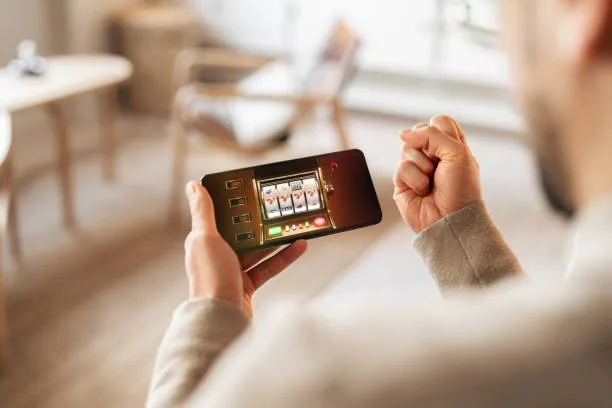
Mobile browser accessDevice compatibility checkAccount availability verified at loginNo desktop required
yearners The yearners App Experience on Your Device
DEVICE COMPATIBILITY CHECK

What Your Device Needs to Run the App

Before you settle in for a live casino session or a crash game round, it is worth checking that your setup handles the lobby without interruption. The compatibility list below covers the main access requirements.

yearners Browser Version

Browser Version

A current-release version of Chrome, Safari or Firefox handles all lobby features. Older browser builds may miss the live-stream layer — update first if video tables stall.

yearners Screen Layout

Screen Layout

The lobby reflows for both portrait and landscape orientation. Landscape works better for live dealer tables; portrait is fine for slot rooms and the betslip.

yearners Account Requirements

Account Requirements

You need a verified yearners account to access real-money rooms. Account verification takes place through the profile section after your first login.

APP FEATURE SNAPSHOT

Four Things That Make Mobile Play Smoother

These are the app-layer features that change how your session actually feels — faster login, less tapping, and a lobby that stays with you across screens.

Fingerprint Login Biometric sign-in replaces your password at the lock screen. One touch and you are inside your account, ready to open a live table or check the betslip.
Push Notifications Opt in and the app sends an alert when a cricket market goes live or when an account action needs your attention — no need to keep the browser open.
Dark Mode Display The lobby switches to a dark palette automatically at night. Easier on the eyes during a late session and it saves battery on OLED screens.
Offline Lobby Preview Browse game categories and check your account balance even when signal drops. The lobby shell loads from cache so you can plan your next session without a live connection.
yearners Live Tables, Slots and Sports in One Mobile View

Live Tables, Slots and Sports in One Mobile View

Inside the yearners app you move between live baccarat streamed by Evolution, slot rooms carrying Pragmatic Play titles like Gates of Olympus, and a sportsbook betslip where cricket markets — PSL rounds and international fixtures — sit alongside football. Push notifications flag when your favourite market opens or a round settles. A quick-deposit shortcut means you can fund your account without leaving

the game screen. Fingerprint login cuts the sign-in step to a single touch, so you are at the tables faster. Players in Karachi and Lahore reach the full lobby in seconds over a mobile data connection.

yearners Mobile Access in 3 Simple Steps

Mobile Access in 3 Simple Steps

Getting the yearners app running on your phone does not require an app store visit. Open your mobile browser — Chrome on Android and Safari on iOS both handle the lobby without extra plugins. Head to the current yearners address, then check the prompt that appears: the site will tell you whether a dedicated build is available for your device or whether

the mobile browser version is your access path. Either way, sign in with your credentials or complete the short account-creation form. After login, save the page to your home screen so it launches like a native app with one tap.

  • Open Your Mobile Browser — Use Chrome on Android or Safari on iOS. No special browser settings needed before you start.
  • Check App Availability at the Site — The yearners page shows whether a native build or a browser-optimised version is the current access path for your device and region.
  • Sign In and Save to Home Screen — Log in with fingerprint or your credentials, then use your browser's share menu to add the site to your home screen for one-tap access later.

Questions About the yearners App

Common questions from Pakistan about how the yearners app works, what your device needs, and how to get your account running on mobile.

Availability of a native build varies by region and local law. Check the yearners site directly after login — it shows the current access path for your device.

Yes. The mobile browser version carries the full lobby — live tables, slots including Crash Pakistan Arena, and the sports betslip — without requiring an install.

Biometric login is supported on devices where the browser or native build can access the fingerprint sensor. Enable it inside your account security settings after your first sign-in.

Yes, if you allow notifications when the app prompts you. You will receive alerts when PSL or international cricket markets open, and when your betslip settles.

On Android, open Chrome, tap the three-dot menu and choose Add to Home Screen. On iPhone, tap the Safari share icon and select Add to Home Screen. One tap launches the lobby from there.

First check that your browser is up to date. A weak mobile signal is the most common cause — switch to Wi-Fi or move to a stronger connection, then reload the table.
Reference

yearners App

Service availability depends on eligible regions and local law. Users should check local rules before opening an account.

Access may be available only where local law permits.